Special Detail Sections
Detail sections have some special features that can be very useful at times. Certain special details can be rendered at a non-standard location, or repeated. These features are the sub-section, the odd/even page content, and the repeated detail.
Sub (Detail) Sections
Sometimes a single report section (detail) is not enough to hold all of the content, and one or more additional sections would be useful for adding more items. Without zones, a section is the smallest band area in which a group of items is kept together on a page. A sub-section is an additional content area that is linked to its parent section. The parent can be a detail, a group header, or another section. The sub-section is always rendered below its parent. With the printWhen option of the section, the sub-section can be hidden or shown conditionally, which makes the report design very flexible.
Adding a Sub-Section
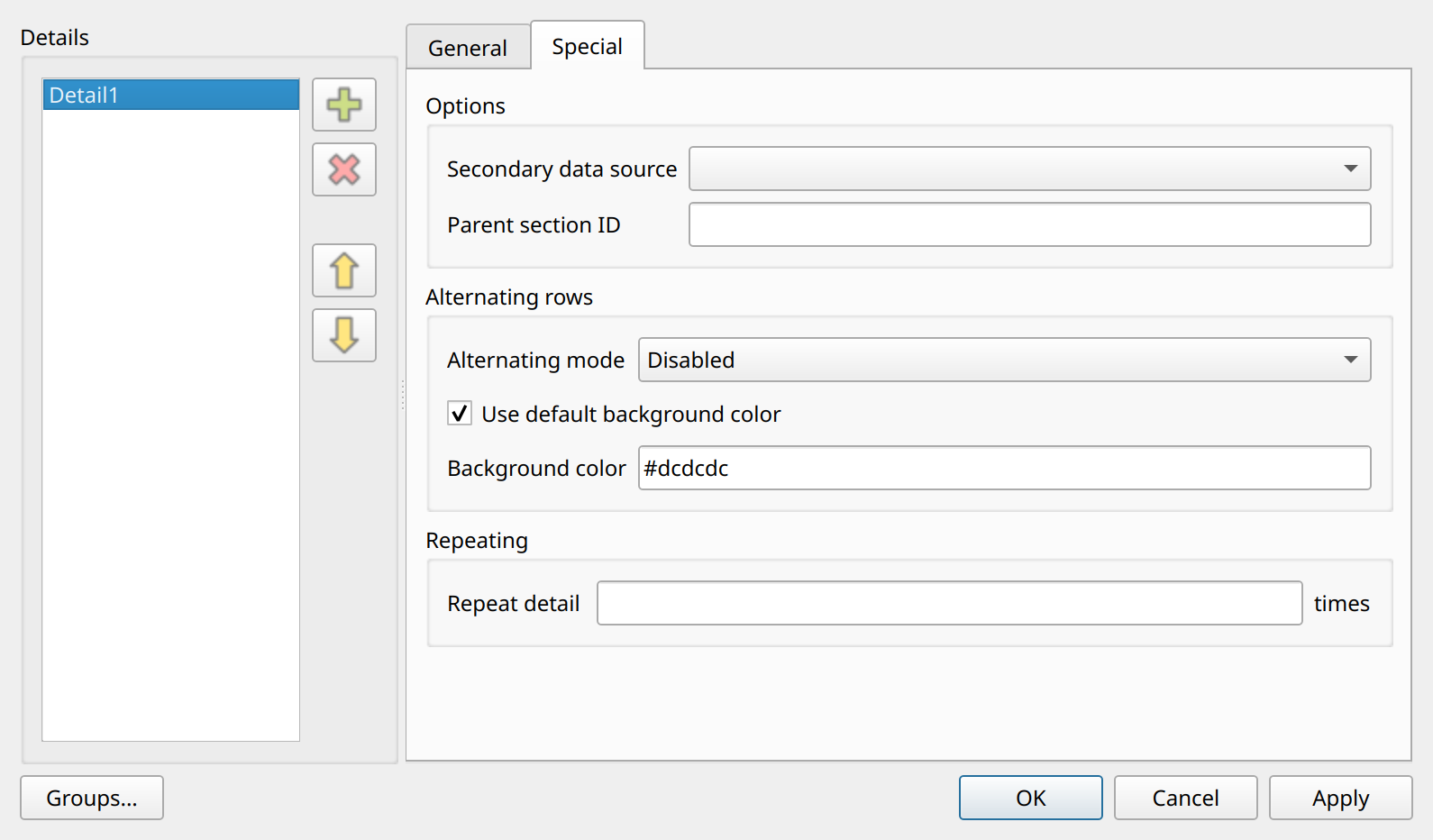
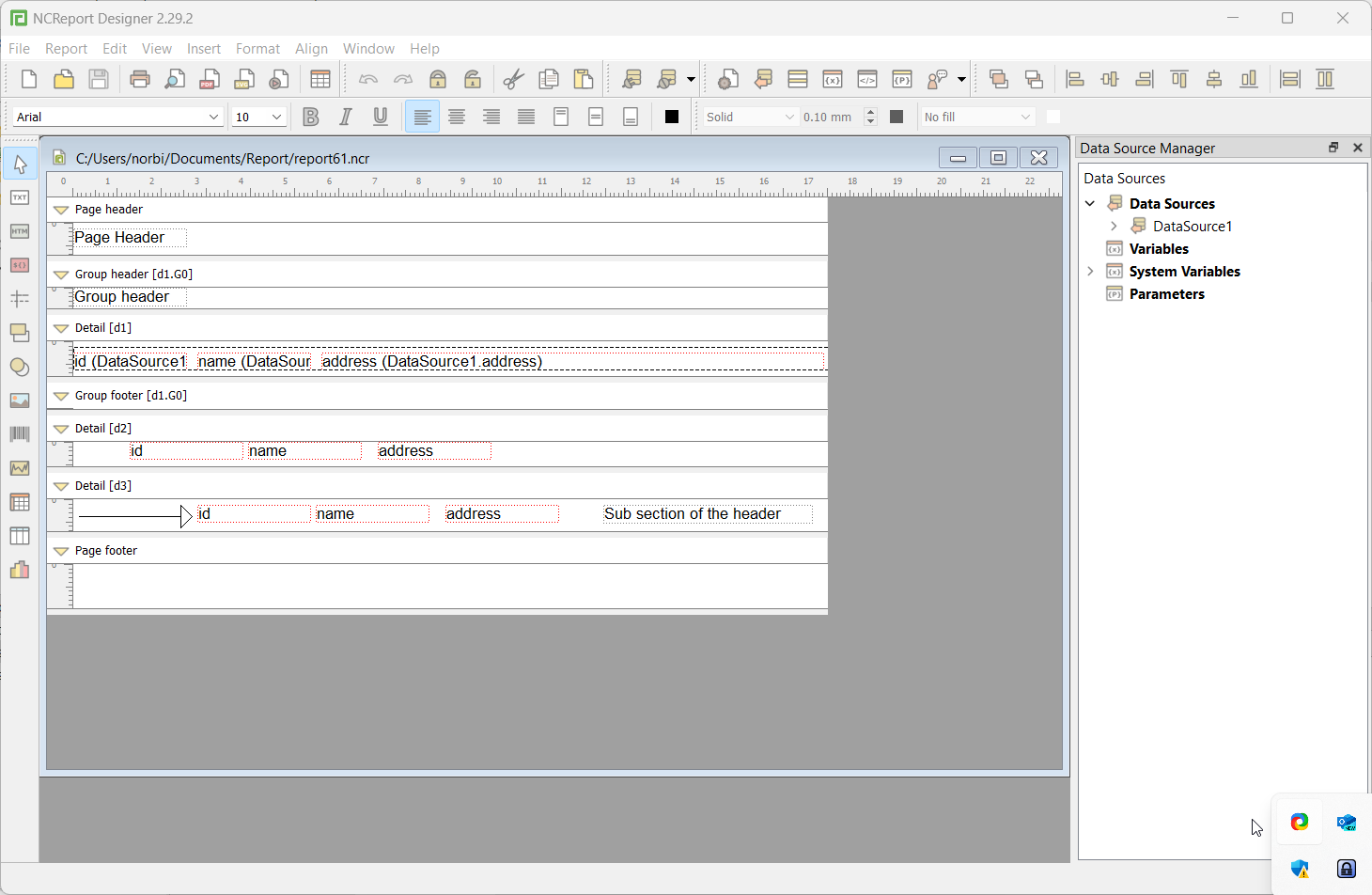
To add a sub-section, select and add a new Detail section. Normally, a detail section needs an assigned data source, but a sub-section does not. Set the Parent section ID on the Special tab to the ID of the section you want to link to.
The sub-section appears directly after its parent section, regardless of the other details.
Odd / Even Pages
The odd/even page feature is a special use case of the sub-section. It makes it possible to create a report with alternating odd and even pages, where different content is inserted on every odd or every even page. For this purpose, you can specify a dedicated detail section that represents the content of the odd pages or the even pages.
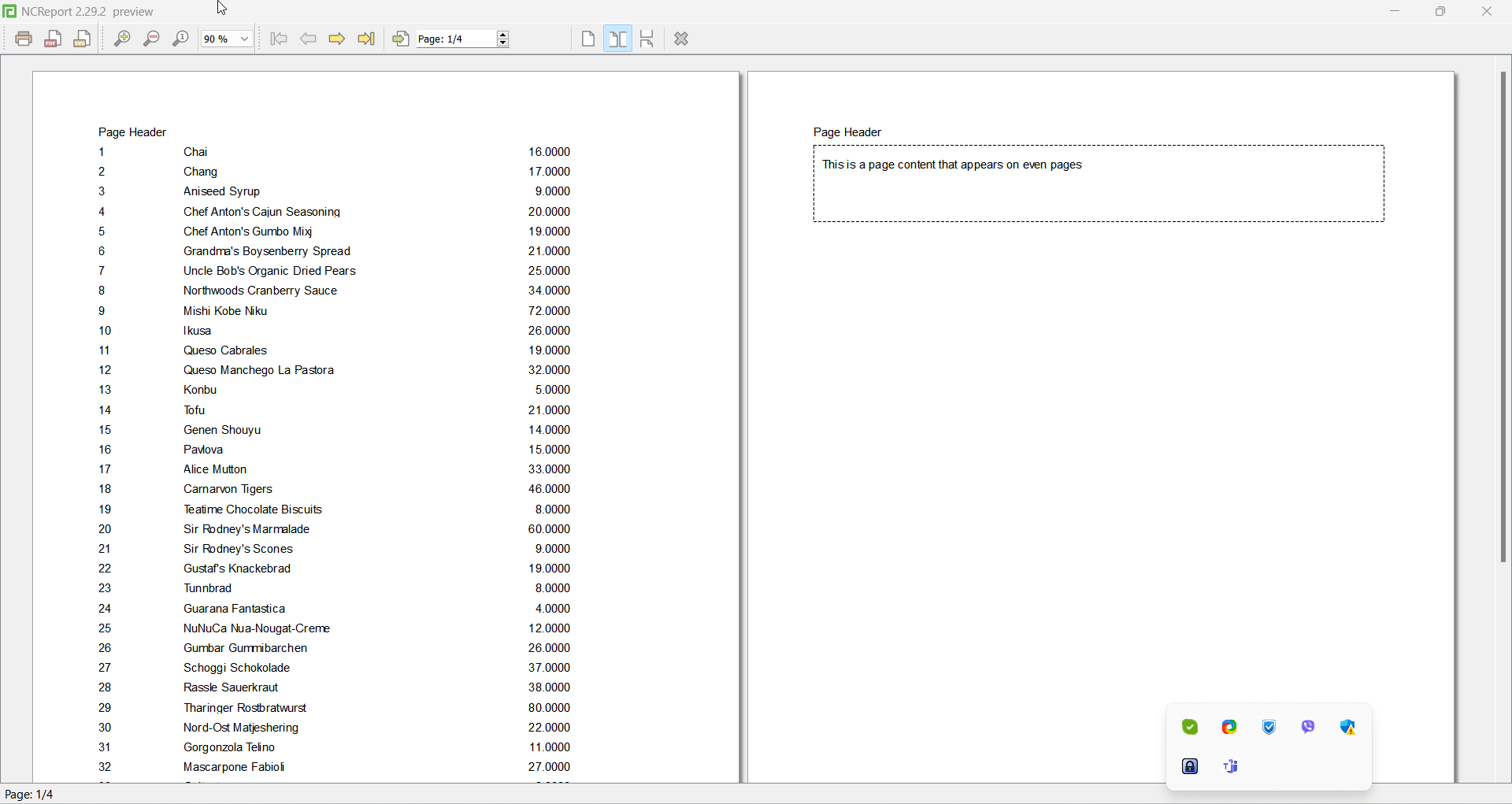
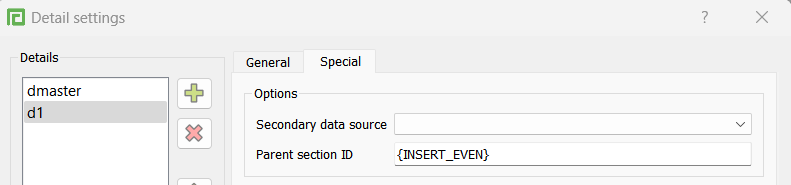
To create odd or even page content, add a new detail to your report and set one of the following identifiers as the Parent section ID on the Special tab of the Detail settings dialog. It is recommended to assign a dummy, one-row data source to such details, to ensure that their content is printed only once per page.
{INSERT_EVEN} or {INSERT_ODD}{INSERT_EVEN}-
Content that is inserted on every even page.
{INSERT_ODD}-
Content that is inserted on every odd page.
Repeated detail by constant or dynamic value
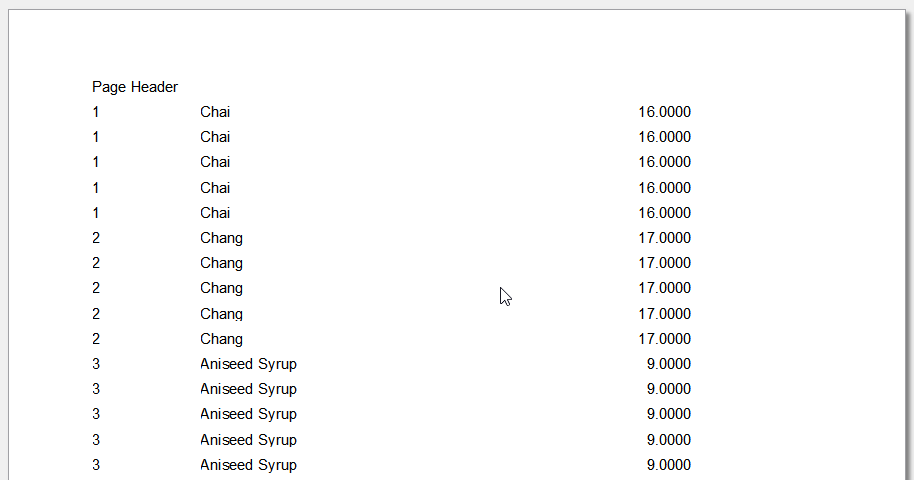
By default, every detail section is printed once per data source row, but sometimes the detail content needs to be repeated several times, for instance when the report is intended for printing tickets, barcodes, or labels. To set how many times the detail is repeated, use the Repeat detail … times field on the Special tab of the Detail settings dialog. You can set either a constant integer value or an expression that results in an integer. The feature works for normal detail sections only.
Example: 5 or $P{numberofdetails}, or $D{num} …